
Good Designers Will Design Intelligence
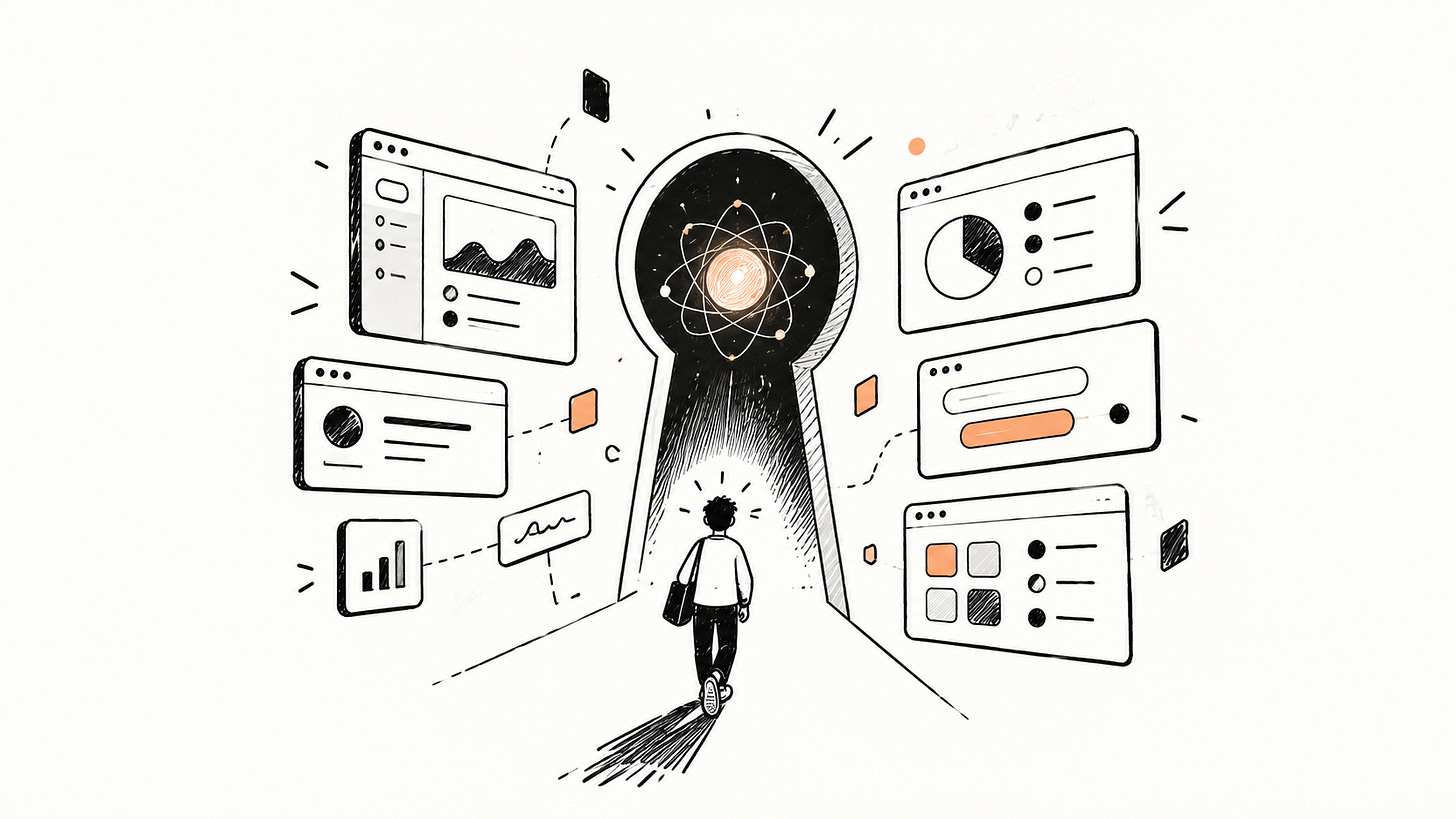
For most of my career, designing software meant designing what happened next.
Click this → open that.
Submit this → validate that.
Choose this → show those results.
AI changes the relationship.
We’re now designing software that can interpret intent, make decisions, use tools, remember context and sometimes surprise us.
The interface is still ours to design. But increasingly, so is the intelligence behind it.
The UI is a container
I recently came across one of the most interesting design roles I’ve seen in a long time. Not because of the title, but because of what the person is actually being asked to design: the intelligence inside the product.
In a LinkedIn post, I read:
“The UI is a container. The software’s look and the AI’s behaviour are two separate surfaces, and this role owns the second.”
That distinction immediately made sense to me.
Imagine an AI recruiting assistant. The interface might be beautifully designed: a candidate list, filters, search, chat and actions, everything a traditional product designer knows how to ship.
But then the user says: “Find me the strongest candidates for this role.”
Now, the difficult design questions begin:
- What does “strongest” mean?
- Does the AI ask for clarification or make an assumption?
- What happens when the data is incomplete, or the model is confidently wrong?
- What happens when the user changes the constraint?
These aren’t UI questions.They’re questions about behaviour.
Designing behaviour within bounds
Traditional software lets us design states. AI forces us to design boundaries.
We can’t enumerate every possible output. We can define how the system should behave when it encounters uncertainty.
- The AI should ask for clarification when a missing piece of information materially changes the outcome.
- It should verify information with tools instead of inventing an answer.
- It shouldn’t take irreversible actions without appropriate confirmation.
- It should communicate uncertainty when uncertainty matters.
- It should recover when something goes wrong.
- It should preserve the user’s intent across multiple steps, even as constraints change.
These aren’t traditional UI components. They’re behavioural rules.
What’s changed is that UX practice is starting to formalize these rules. We now see explicit patterns for transparency, trust calibration, human handoff, and graceful fallback in public UX guidance from Google’s web.dev and AI UX pattern libraries.
Designers are no longer only designing interfaces. We’re increasingly designing behavioural specifications.
The design system becomes behavioural
I’ve spent years thinking about design systems as a way to make interfaces consistent.
But consistency becomes a different problem when the product can reason, remember and act.
A button can be consistent.
A table can be consistent.
But can the intelligence be consistent?
- Does it ask for permission in the same situations?
- Does it communicate uncertainty consistently?
- Does it know when to stop?
- Does it recover from failure in a predictable way?
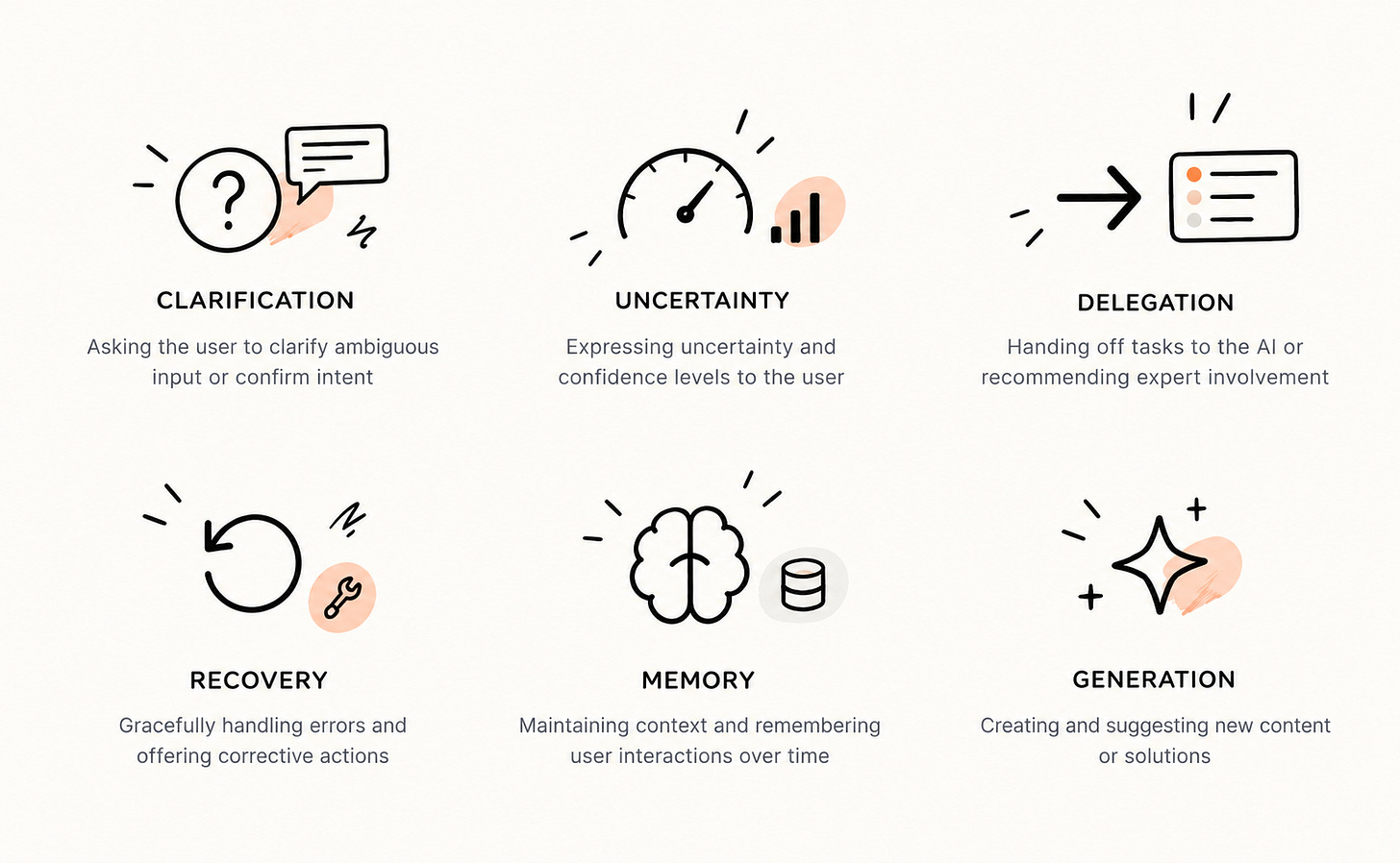
These are effectively behavioural components.
Bounteous calls them AI Experience Patterns: every pattern has a UI component, a human interaction pattern and an AI response pattern (reasoning, memory, autonomy, context).
The question is no longer just: how should this interface behave? It’s increasingly: how should this intelligence behave across every surface?
A practical example
Let’s make this concrete. Imagine we want to build an AI travel agent. A traditional product design approach might produce:
Search → Results → Hotel → Booking → Confirmation
But now the user says:
“Plan me five days in Tokyo. I want great food, not touristy places, and I have €1,500.”
The difficult questions are no longer primarily visual:
- Does the AI ask for dates, or infer them?
- Does it clarify “great food,” or make a reasonable assumption?
- What happens when flights consume most of the budget?
- Can it book anything without explicit approval?
- When the user changes the budget, does it restart—or adapt?
The UI still matters. But the harder question is: what kind of intelligence are we building, and how should it behave when constraints change?
Working closer to ML
Designers can no longer sit entirely downstream from intelligence.
If model behaviour shapes the product experience, designers need to understand enough about context, tools, latency, memory, evaluation and failure modes to shape the experience with ML and engineering.
Not because designers need to become ML engineers.
Because if the model changes, the experience changes with it.
What this means for junior designers
AI is replacing parts of the junior workload first: screens, variants, first drafts and exploration sets.
That does not make junior designers irrelevant. It changes the apprenticeship.
The increasingly valuable skill is the ability to make, test and evaluate behaviour, not simply produce more screens.
If you’re early in your career, here are concrete skills that are already valued:
- Agent literacy — how agents use tools and context
- Evaluation — judging outputs for usefulness, correctness and trust
- Uncertainty design — communicating caveats and partial answers
- Workflow prototyping — building user intent → AI action → human review flows
- Model-to-interface connection — testing real AI behaviour in a real UI
The junior designer who can prototype and evaluate an AI behaviour may be more valuable than the one who can only make a polished screen.
Senior & Staff: intelligence as a system
At higher levels, the question stops being:
“Where do we add AI?”
And becomes:
“How should our intelligence behave across everything we ship?”
If every team designs AI independently, users meet multiple versions of the company’s intelligence: one proactive, one cautious, one confidently wrong, one silent.
That is not just inconsistency. It is a product-identity problem.
Senior and Staff designers increasingly need to own:
- Behavioural principles
communication, uncertainty, memory, permission and escalation
- System constraints
where AI can act, suggest or must defer to a human
- Evaluation
how behaviour is reviewed, measured and improved
- Design–ML partnership
making product capability and user experience evolve together
That is AI experience architecture.
Nothing we take for granted is guaranteed to survive
We are moving from designing software that follows instructions to designing software that can interpret them.
From interfaces to interactions with intelligence.
From flows to behaviours.
From defining every state to defining boundaries.
We are still early. There are no settled playbooks, job ladders or even terminology.
That is not a reason to wait.
Start small: pick one workflow, define the intelligence inside it: its rules, guardrails and failure modes, and ship something you can learn from.
Because the question is no longer:
“Where is the AI in the product?”
It is:
“What kind of intelligence is this product?”
And someone will have to design the answer.
Recommended reading
- 38 AI UX Design Patterns & Skills
- Designing for Uncertainty: UX Patterns When AI Outputs Are Probabilistic
- A Guide for Designing with AI
If you found this useful, the best way to support it is to share it with someone who’d benefit from it. :)
Follow me on X